Making EZRecolor Materials
Work in Progress!
The process of creating an EZRecolor Material is simple. When creating a new Material and assigning a custom shader through the dropdown, all official EZRecolor Shaders are under Mike Da Bird > MDB_Shaders > EZRecolor > V2
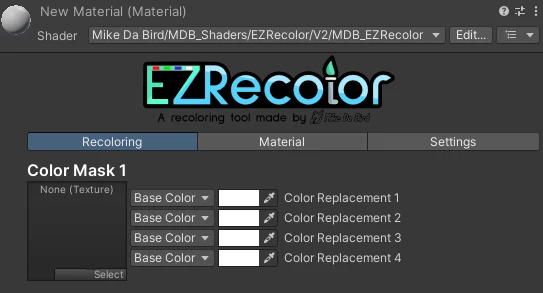
A fresh and empty EZRecolor Material using the offical EZRecolor Shader
The Channel Packed Textures you created before will be going under the Color Mask fields. Any Labels you've assigned to this Material using a Label Object will also display here